

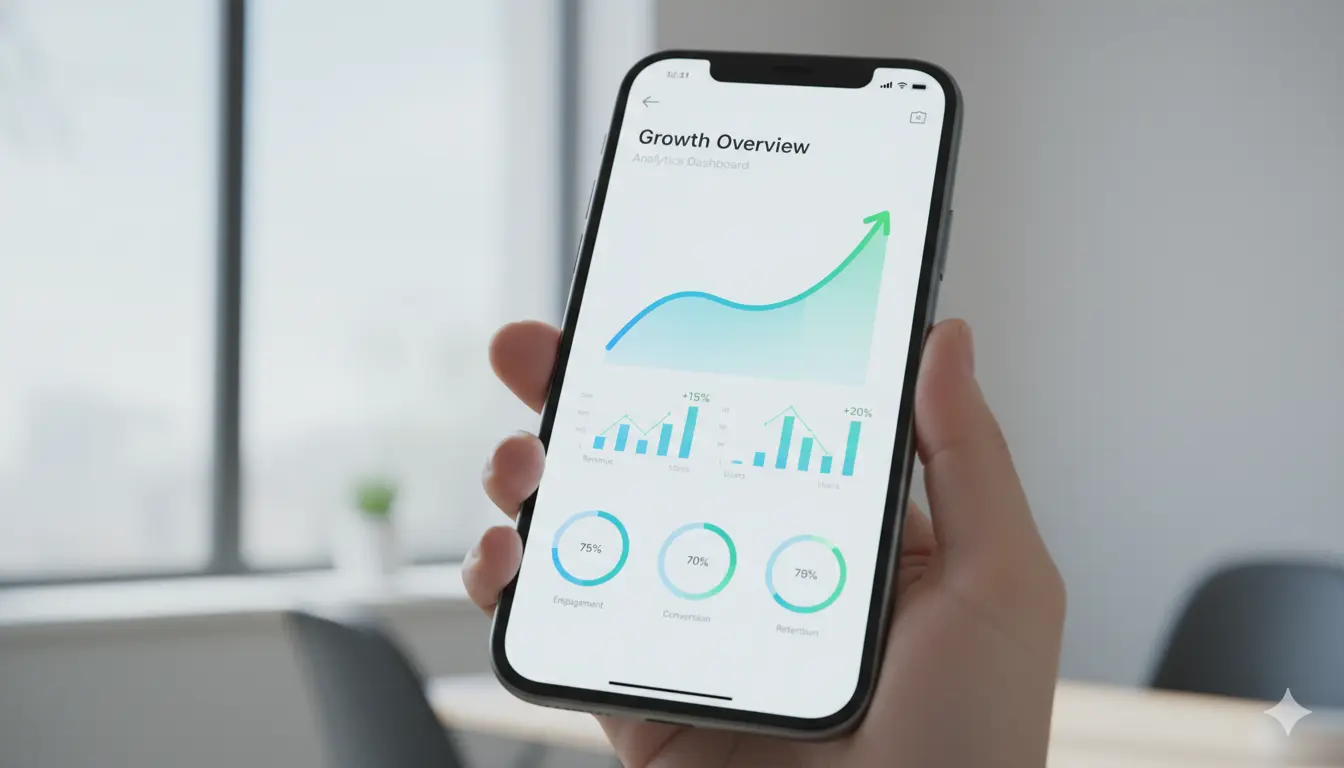
Introduction: Why App Design Matters in Digital Marketing
In today’s mobile-first world, your app design serves as the digital storefront for your brand, often representing the first and most frequent touchpoint between your business and potential customers. According to recent statistics, the average user spends over 4 hours daily on mobile apps, making app design a critical component of any comprehensive digital marketing strategy. A well-designed app doesn’t merely look aesthetically pleasing—it drives user engagement, increases retention rates, generates valuable data insights, and ultimately boosts conversions and revenue.
The mobile app market has become increasingly competitive, with millions of apps vying for user attention across various platforms. In this saturated landscape, exceptional design becomes your primary differentiator. Users have zero tolerance for poor experiences; 88% will abandon an app after just one bad experience. This comprehensive guide explores seven proven, data-driven strategies to elevate your app design and maximize its marketing impact, ensuring your app not only attracts users but retains them long-term.
Understanding User Psychology in App Design
The First Impression Factor: The 3-Second Rule
Research conducted by the Nielsen Norman Group reveals that users form lasting opinions about your app within the first 3 seconds of opening it. This initial impression can make or break user retention and directly impacts your app’s lifetime value. Your app’s visual appeal, loading speed, intuitive navigation, and immediate value proposition all contribute to this crucial first moment that determines whether users continue engaging or uninstall immediately.
Consider the psychology behind successful apps like Instagram, TikTok, and Uber—each delivers immediate gratification and clear value within seconds. Instagram shows personalized content instantly, TikTok begins autoplaying engaging videos, and Uber displays your location and estimated wait times. These apps understand that users seek instant value and will abandon applications that require excessive setup or fail to demonstrate utility quickly.
Cognitive Load and User Experience Optimization
Minimizing cognitive load is essential for keeping users engaged and preventing abandonment. Complex interfaces, confusing navigation patterns, and information overload overwhelm users and lead to higher churn rates. The human brain can only process a limited amount of information simultaneously, so every additional element, decision point, or distraction reduces mental bandwidth available for core app functions.
Focus on simplicity, establish clear visual hierarchy, implement intuitive gestures, and reduce decision fatigue through smart defaults and progressive disclosure. Progressive disclosure involves revealing information and features gradually as users need them, rather than overwhelming them with every option upfront. This approach respects users’ cognitive capacity while still providing access to advanced functionality when appropriate.
Strategy 1: Implement Progressive Onboarding
What is Progressive Onboarding and Why It Works
Unlike traditional onboarding processes that bombard users with information, tutorials, and permissions requests upfront, progressive onboarding introduces features, benefits, and functionality gradually as users naturally encounter them during regular app usage. This contextual learning approach reduces initial friction, increases feature adoption rates, and prevents information overload that leads to early abandonment.
Progressive onboarding recognizes that users learn best by doing rather than reading lengthy instructions. By allowing users to explore your app’s core functionality immediately while providing contextual guidance when needed, you create a more natural, engaging learning experience that respects users’ time and intelligence.
Implementation Best Practices for Maximum Impact
Use Contextual Hints and Tooltips Strategically Implement subtle, non-intrusive hints that appear only when users reach relevant sections of your app. For example, when users first access the search function, display a brief tooltip explaining advanced search operators. These contextual cues provide just-in-time education without disrupting the user flow.
Highlight Key Features Based on User Behavior Patterns Leverage analytics data to identify which features drive the most engagement and retention, then create targeted onboarding experiences that guide users toward these high-value functionalities. If data shows that users who utilize the bookmarking feature have 40% higher retention rates, ensure new users discover this capability early in their journey.
Allow Users to Skip Onboarding Completely Respect user autonomy by providing a clear “Skip” option for those who prefer to explore independently. Many experienced app users find traditional onboarding tedious and will appreciate the ability to dive directly into your app’s core functionality. However, ensure that skipped features remain accessible through intuitive discoverability mechanisms.
A/B Test Different Onboarding Flows Rigorously Continuously test various onboarding approaches to identify what resonates best with your specific audience. Experiment with different sequences, messaging tones, visual styles, and timing to optimize for your key metrics—whether that’s day-7 retention, feature adoption rates, or conversion metrics.
Implement Smart Permission Requests Rather than requesting all permissions during initial setup, ask for access only when users attempt to use relevant features. For example, request camera access when users try to upload a photo, not during app installation. This contextual approach increases permission grant rates by 30-50% compared to upfront requests.
Strategy 2: Optimize for Thumb Zones and Mobile Ergonomics
Understanding Mobile Ergonomics and Natural Hand Positions
Design elements should be strategically placed within easy reach of the user’s thumb to minimize physical strain and maximize usability. The “thumb zone” concept, pioneered by researcher Steven Hoober, ensures that primary actions and frequently-used features are accessible without requiring awkward hand positions, stretching, or device shifting.
Consider that most users operate mobile devices one-handed, especially during commutes, while walking, or in situations requiring the other hand for different tasks. Designing for one-handed use accommodates real-world usage patterns and creates more inclusive, accessible experiences for users with varying physical abilities and preferences.
Comprehensive Design Considerations for Thumb-Friendly Interfaces
Place Primary Navigation at the Bottom of the Screen Bottom navigation bars have become the industry standard for good reason—they’re easily accessible regardless of screen size or hand position. Ensure your most important sections (typically 3-5 items) are available through bottom navigation, with clear visual indicators showing the current location.
Keep Important Action Buttons Within Thumb’s Natural Reach Critical actions like “Add to Cart,” “Send Message,” or “Place Order” should be positioned in the lower half of the screen, ideally within the bottom third where thumbs naturally rest. Avoid placing essential functions in the top corners or requiring excessive scrolling to reach primary actions.
Design for One-Handed Use Scenarios Across All Features Test your app’s core workflows with one hand to identify potential pain points. Can users complete purchases, send messages, or navigate between sections without shifting their grip or using their second hand? If not, reconsider your layout and interaction patterns.
Implement Swipe Gestures for Common Actions Incorporate intuitive swipe gestures for frequently-performed tasks to reduce the need for precise tapping. For example, swipe left to archive emails, swipe right to approve requests, or swipe down to refresh content. These gestures feel natural and efficient once users learn them.
Conduct Real-World Usability Testing with Diverse Users Test your app with users of different hand sizes, grip styles, and physical abilities to ensure broad accessibility. What works perfectly for users with larger hands might be challenging for those with smaller hands or limited dexterity.
Strategy 3: Leverage Microinteractions for Enhanced Engagement
The Psychological Power of Small Design Details
Microinteractions—small animations, transitions, and feedback mechanisms—create delightful user experiences that build emotional connections and make your app feel more responsive, polished, and alive. These subtle touches communicate that your app is listening, understanding, and responding to user actions, which builds trust and satisfaction.
Research from the Journal of Consumer Research indicates that users form stronger emotional attachments to products that provide satisfying feedback and acknowledge their interactions. Microinteractions serve as digital “handshakes” that validate user actions and create moments of delight throughout the experience.
Comprehensive Examples of Effective Microinteractions
Button Press Animations and Visual Feedback When users tap buttons or interactive elements, provide immediate visual confirmation through subtle animations, color changes, or scale effects. This feedback reassures users that their action was registered and prevents repeated tapping or uncertainty about whether the app is responsive.
Loading Indicators with Personality and Progress Transform potentially frustrating wait times into engaging experiences through creative loading animations that reflect your brand personality. Consider skeleton screens that preview content structure, progress indicators that show completion percentage, or entertaining animations that distract from loading delays.
Pull-to-Refresh Animations That Reward Interaction The pull-to-refresh gesture has become ubiquitous in mobile apps, but you can differentiate your experience through unique, brand-aligned animations. Whether it’s a playful character, a satisfying physics-based effect, or a subtle brand element, this frequently-used interaction presents an opportunity for personality injection.
Success Confirmation Animations That Celebrate Achievements When users complete important actions like making a purchase, submitting a form, or reaching a milestone, celebrate their success with satisfying animations. Confetti bursts, checkmark animations, or progress completion effects create positive reinforcement and encourage continued engagement.
Error State Animations That Soften Frustration Even when things go wrong, thoughtful microinteractions can mitigate user frustration. Instead of harsh error messages, use gentle animations, friendly illustrations, and clear guidance to help users recover from mistakes gracefully.
Strategy 4: Implement Data-Driven Personalization
The Business Case for Personalized User Experiences
Personalization has evolved from a nice-to-have feature to a fundamental expectation for modern app users. According to Accenture research, 91% of consumers are more likely to shop with brands that recognize, remember, and provide relevant offers and recommendations. Personalized experiences increase engagement by 20%, boost conversion rates by 15%, and significantly improve customer lifetime value.
However, effective personalization requires more than just using a user’s first name in notifications. True personalization leverages behavioral data, preferences, context, and predictive analytics to deliver genuinely relevant content, features, and recommendations that feel intuitive rather than intrusive.
Advanced Personalization Techniques for Maximum Impact
Content Recommendations Based on Usage History and Patterns Analyze user behavior to surface relevant content, products, or features automatically. Netflix’s recommendation engine drives 80% of content watched, while Amazon’s “Frequently Bought Together” suggestions increase average order value by 35%. Implement similar algorithms tailored to your app’s context.
Customizable Interfaces That Adapt to User Preferences Allow users to personalize their experience through customizable dashboards, widget arrangements, notification preferences, and theme options. This user-controlled personalization increases ownership and satisfaction while providing valuable data about preferences and priorities.
Location-Based Features and Context-Aware Functionality Leverage geolocation data to deliver hyper-relevant experiences based on user location, time of day, and local context. Weather apps show local forecasts, food delivery apps prioritize nearby restaurants, and retail apps display store-specific inventory and promotions.
Behavioral Triggers for Intelligent Notifications Move beyond generic broadcast notifications to behavior-triggered messages that provide timely, relevant information. If a user abandons their cart, send a gentle reminder. If they browse specific product categories, suggest similar items. If they achieve a milestone, celebrate their accomplishment.
Predictive Personalization Using Machine Learning Implement AI-powered algorithms that anticipate user needs based on historical patterns and similar user behaviors. Spotify’s Discover Weekly playlist, for example, uses machine learning to curate personalized music recommendations that feel remarkably accurate and keep users engaged.
Strategy 5: Optimize Loading Speed and Performance
The Direct Business Impact of App Performance
Every second of loading time can result in significant user drop-off and revenue loss. Google research shows that 53% of mobile users abandon sites that take longer than 3 seconds to load, and app abandonment rates follow similar patterns. For e-commerce apps, a 1-second delay in page load time can reduce conversions by 7% and decrease customer satisfaction by 16%.
Performance optimization isn’t just a technical concern—it’s a critical business imperative that directly impacts user retention, engagement metrics, and revenue generation. In competitive app marketplaces, performance often becomes the deciding factor between your app and alternatives.
Comprehensive Speed Optimization Strategies
Image and Asset Compression Without Quality Loss Implement modern image formats like WebP and AVIF that provide superior compression ratios compared to traditional JPEG and PNG formats. Use responsive images that serve appropriately-sized assets based on device capabilities and screen resolutions. Consider lazy loading for images below the fold to prioritize critical content.
Efficient Code Architecture and Bundle Optimization Minimize JavaScript bundle sizes through code splitting, tree shaking, and dead code elimination. Implement caching strategies to reduce redundant network requests and improve subsequent load times. Optimize database queries and API calls to minimize latency and bandwidth usage.
Content Delivery Network (CDN) Implementation Distribute your app’s static assets across geographically-distributed servers to reduce latency for users worldwide. CDNs cache content closer to end users, dramatically improving load times especially for global audiences. Consider edge computing solutions for real-time personalization and dynamic content delivery.
Progressive Web App (PWA) Features for Offline Capability Implement service workers and caching strategies to enable offline functionality and instant loading for returning users. PWAs can provide app-like experiences with web accessibility, reducing friction and improving performance across various network conditions.
Continuous Performance Monitoring and Alerting Implement real-time performance monitoring tools that track key metrics like Time to First Byte (TTFB), First Contentful Paint (FCP), and Time to Interactive (TTI). Set up alerts for performance degradation and establish performance budgets to prevent feature creep from impacting speed.
Strategy 6: Design for Universal Accessibility
The Business and Ethical Case for Inclusive Design
Creating accessible apps expands your potential user base to include the 1.3 billion people worldwide with disabilities while demonstrating social responsibility and brand values. Accessible design also benefits all users by improving overall usability, reducing cognitive load, and creating more flexible, adaptable experiences.
From a legal perspective, accessibility compliance is increasingly mandated, with regulations like the Americans with Disabilities Act (ADA) and Web Content Accessibility Guidelines (WCAG) requiring digital accessibility. Proactively designing for accessibility prevents potential legal issues while future-proofing your app against evolving standards.
Comprehensive Accessibility Features and Implementation
Screen Reader Compatibility and Semantic Structure Ensure your app works seamlessly with screen readers like VoiceOver (iOS) and TalkBack (Android) by implementing proper semantic HTML, ARIA labels, and accessible navigation patterns. Provide descriptive alt text for images, meaningful link text, and logical heading hierarchies.
High Contrast Modes and Color Accessibility Design with sufficient color contrast ratios (minimum 4.5:1 for normal text) to ensure readability for users with visual impairments. Provide high contrast mode options and avoid relying solely on color to convey information. Test your color palette with color blindness simulators to identify potential issues.
Text Size Adjustments and Responsive Typography Support dynamic text sizing that respects user system preferences and allows manual adjustment within your app. Use relative units like ems and rems rather than fixed pixel values to ensure text scales appropriately across different devices and user settings.
Alternative Input Methods and Keyboard Navigation Ensure all app functionality is accessible through keyboard navigation, voice commands, and switch devices for users who cannot use touch screens. Provide skip links, focus indicators, and logical tab orders to facilitate efficient navigation.
Captions, Transcripts, and Audio Descriptions Provide captions for video content, transcripts for audio, and audio descriptions for visual elements to ensure multimedia content is accessible to users with hearing or visual impairments. Consider providing multiple language options and translation capabilities.
Strategy 7: Implement Analytics-Driven Iterative Design
The Power of Data-Informed Design Decisions
Continuous improvement through data-driven iteration separates successful apps from stagnant ones. Rather than relying on assumptions or HiPPOs (Highest Paid Person’s Opinion), use analytics to understand actual user behavior, identify friction points, and validate design decisions with empirical evidence.
Analytics-driven design creates a feedback loop where user behavior informs improvements, which are then validated through further data collection. This scientific approach to design reduces risk, increases confidence in decisions, and ensures your app evolves in directions that genuinely benefit users and business objectives.
Key Metrics to Track for Comprehensive Insights
User Retention and Churn Analysis Monitor day-1, day-7, and day-30 retention rates to understand how well your app retains users over time. Identify churn points where users typically abandon your app and investigate potential causes through funnel analysis and user feedback.
Feature Usage Patterns and Adoption Rates Track which features users engage with most frequently and which remain underutilized. This data helps prioritize development efforts, identify opportunities for improvement, and understand what value propositions resonate most strongly with your audience.
Conversion Funnel Analysis and Drop-off Points Map user journeys through key conversion funnels (signup, purchase, content creation) to identify where users abandon the process. Analyze drop-off rates at each step and implement targeted improvements to reduce friction and increase completion rates.
Session Duration and Engagement Metrics Measure average session length, screens per session, and frequency of use to understand overall engagement levels. Compare these metrics across user segments to identify power users, casual users, and at-risk users who may need re-engagement efforts.
Performance Metrics and Technical Health Monitor app crashes, load times, API response times, and other technical metrics that impact user experience. Establish performance baselines and set up alerts for degradation that could indicate underlying issues requiring attention.
Conclusion: Building Apps That Convert and Retain
Effective app design combines aesthetic excellence with functional optimization, creating experiences that not only capture attention but also drive measurable business results. By implementing these seven comprehensive strategies—from progressive onboarding and thumb-friendly design to personalization, performance optimization, accessibility, and data-driven iteration—you can create apps that stand out in crowded marketplaces and deliver sustainable competitive advantage.
Remember that app design is not a one-time effort but an ongoing process of learning, testing, and refinement. Stay current with evolving user expectations, platform capabilities, and industry best practices to ensure your app remains relevant and effective. For more insights on creating high-converting digital experiences, explore our comprehensive guide to web design best practices and learn how to integrate app and web strategies for maximum impact.